 Donezo Inbox
Email management software, compared by type
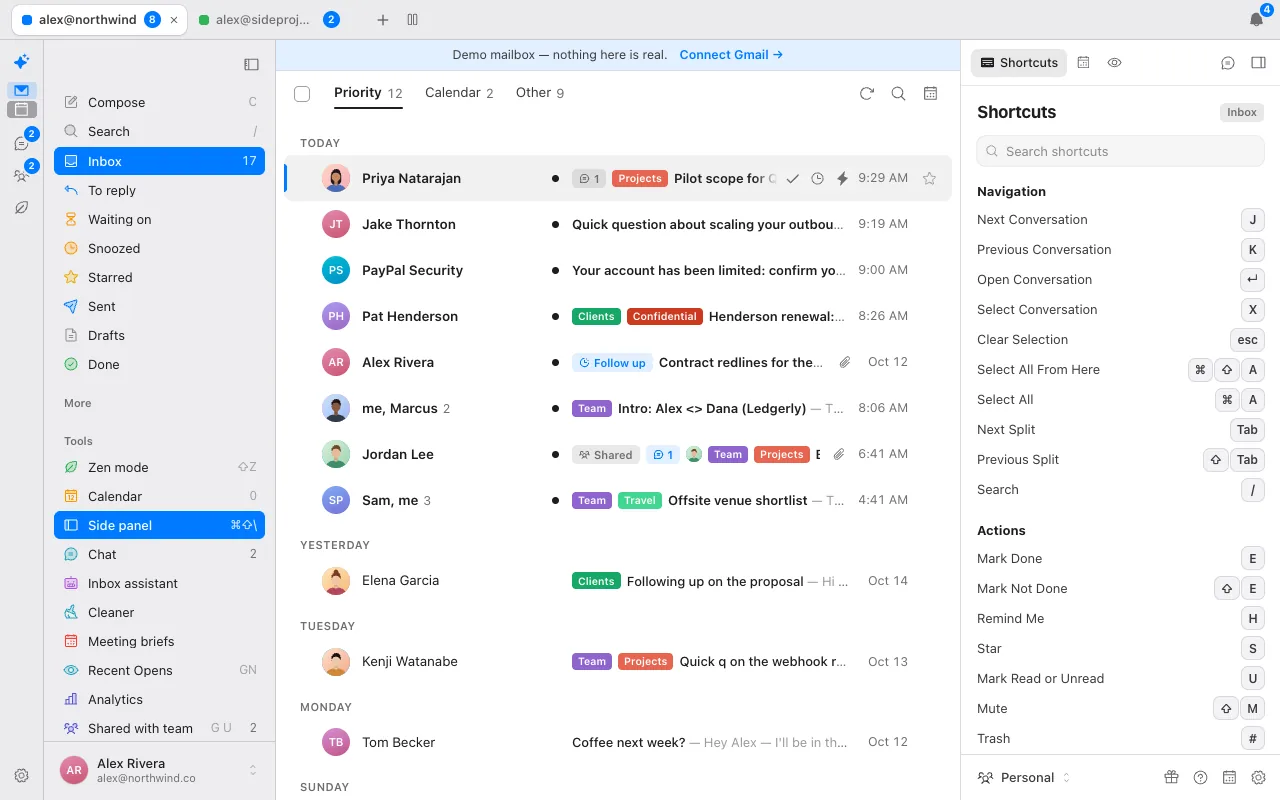
Email management software falls into three groups: personal clients built for speed (Superhuman, Shortwave, Donezo Inbox), AI assistants and filters that sit on the inbox you already use (Fyxer, Inbox Zero, SaneBox), and shared team inboxes (Front, Hiver, Missive, Help Scout). Pick the group first, then the product. Donezo Inbox publishes this page and belongs only to the first group.
How do you pick email management software?
Start from the problem, not the product:
- Too much mail, slow to get through it: a fast client with keyboard shortcuts, snooze and send-later.
- Too much noise, you like your client: a filter or assistant that sorts mail inside the client you already use.
- Several people answering the same mail: a shared inbox with assignment and comments.
- Replies take too long to write: AI drafting, ideally with a draft-only rule so nothing sends by itself.
- Following up: reminders that bring a thread back when nobody answered.
Many “email management software” results are aimed at businesses with customer support teams. If that is you, skip to the shared-inbox table; Donezo Inbox is not that kind of tool.
Which email clients are built for speed?
| Product | Price | Worth knowing |
|---|---|---|
| Donezo Inbox | Free for one inbox. Pro $29/year. | Gmail and Google Workspace only. Opt-in AI assistant. No shared inbox. |
| Superhuman Mail | Starter $25 per member per month billed annually. | Up to 25 seats on Starter. |
| Shortwave | Business $30 per seat per month. | No free plan listed. |
See the full comparison of Gmail email clients for Mimestream, Spark, Mailbird and Missive.
Which tools add AI or filtering to the inbox you already use?
| Product | Price | Worth knowing |
|---|---|---|
| Fyxer | Free (400 credits a month). Pro $37 per seat per month billed annually. | Credit-metered. Gmail and Outlook. |
| Inbox Zero | Starter $18 per month billed annually, $20 monthly. | AI sorting and drafting. Gmail and Outlook. |
| SaneBox | Snack $9.49 per month, $5.42 billed annually, $4.54 on the 2-year term. | A filter that works in any email client. |
What does Donezo Inbox manage?
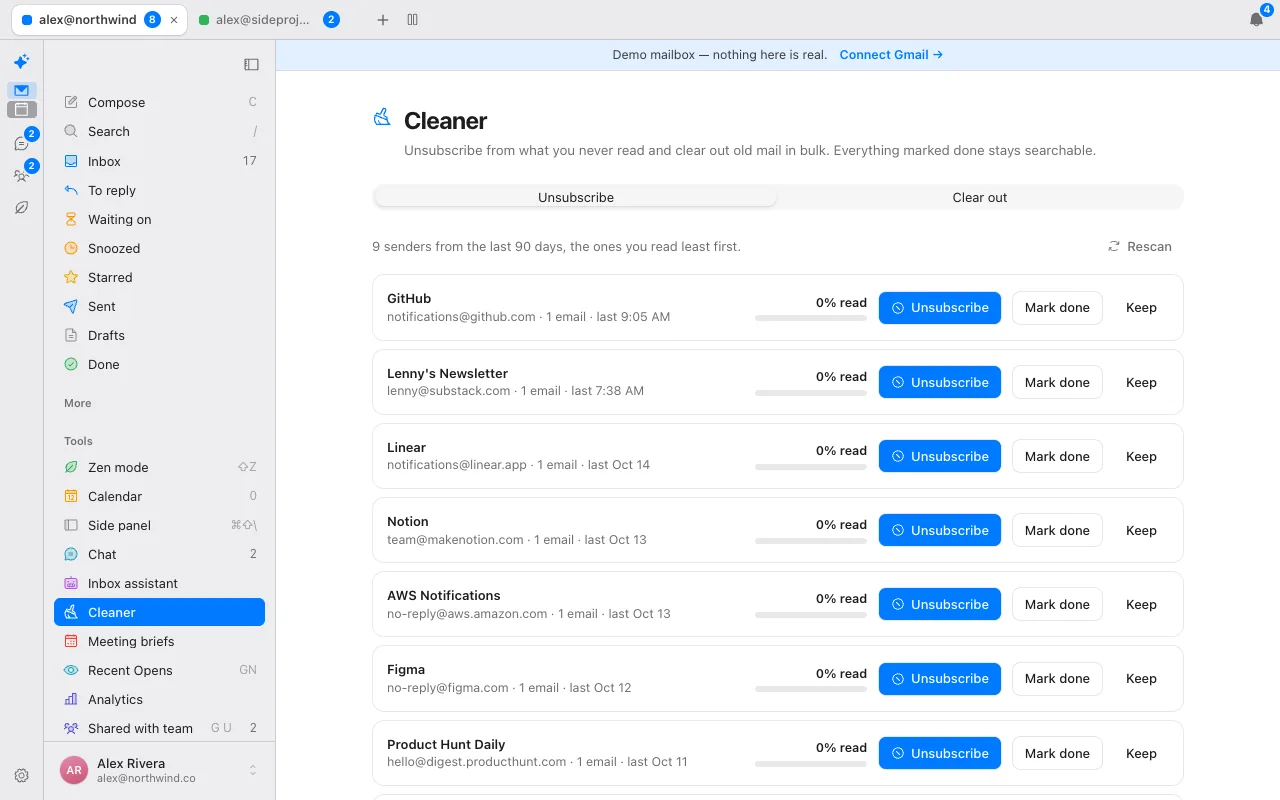
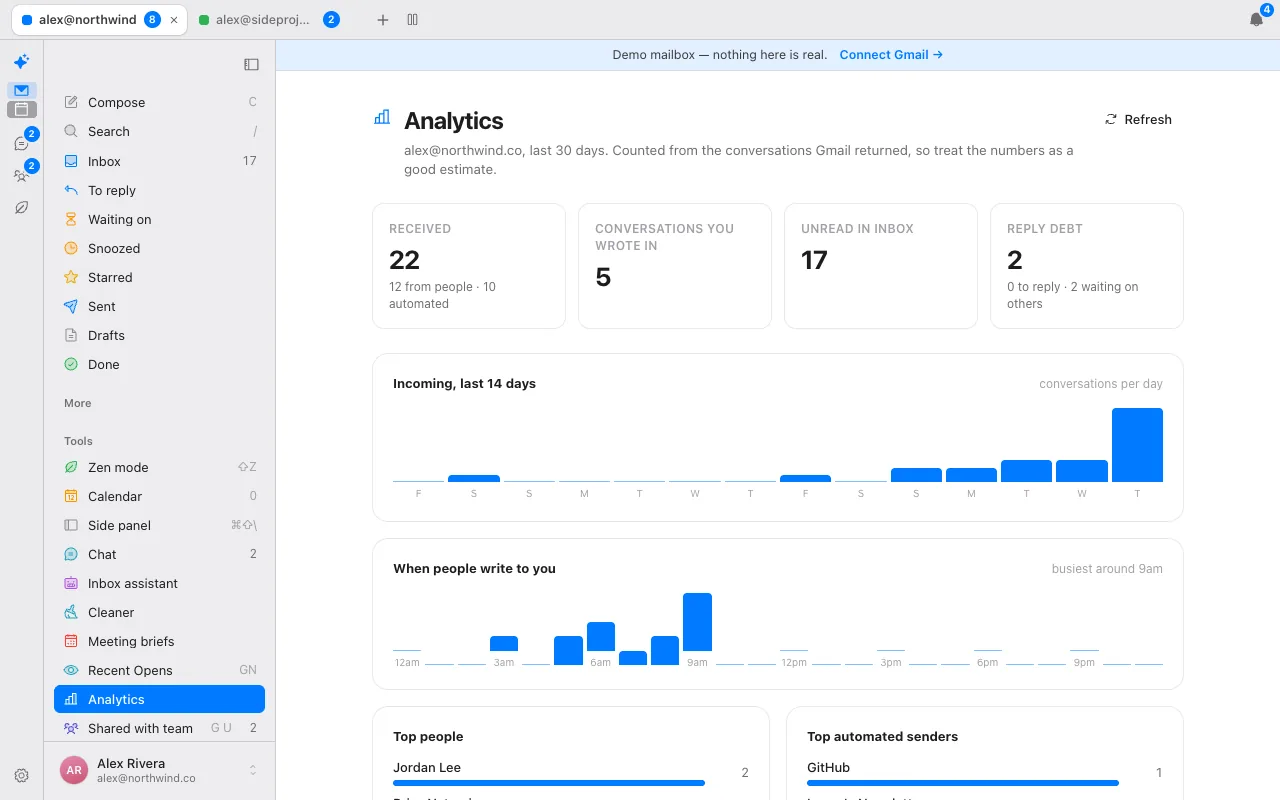
A split inbox puts mail from people first. Snooze, send later and remind-me-if-no-reply run on the server. An optional assistant labels mail and pre-writes drafts you review. Bulk unsubscribe clears the senders you never read. See the assistant. Donezo works with Gmail and Google Workspace only. It has no Outlook or IMAP support, no shared inbox or assignment, no meeting notes and no scheduling links.
How do you trial one in a week?
- Day 1. Write down your top problem: volume, noise, replies, follow-ups or a shared mailbox. That picks the type.
- Day 2. Start a trial or free plan of one tool from that type. Do not migrate anything.
- Days 3 to 5. Use it for real mail only. Count the minutes you spend in email each day, before and after.
- Day 6. Check what it cost you in credits, seats or add-ons, not just the headline price.
- Day 7. Keep it, switch, or go back. Switching costs little when your mail stays in Gmail.
What should you ask any vendor?
- Which providers does it support, and which plan covers several inboxes?
- Is AI metered in credits, seats or tiers, and what happens when the allowance runs out?
- Can it send without me, and can I turn that off?
- Where does the text of my mail go when AI runs?
- What does the plan cost on monthly billing, not just annual?
- What does it not do? A vendor that cannot answer is telling you something.
Questions
What is email management software?
Software that helps you get through email faster: sorting it, snoozing it, scheduling replies, drafting responses or sharing a mailbox with a team.
Do I need email management software?
If you receive a lot of mail and spend long in your inbox, a tool that sorts and schedules it can save time. If you get little, Gmail alone may be enough.
Which type is right for me?
A client if you want speed in your own inbox, an assistant or filter if you want to keep your current client, and a shared inbox if several people answer the same mail.
Is there free email management software?
Donezo Inbox is free for one inbox, Fyxer has a free plan with 400 credits a month, and SaneBox has a 7-day trial. Check each page for what the free option includes.
What is the best app to clear my email inbox?
For a fast client, Superhuman Mail, Shortwave or Donezo Inbox; for filtering inside your current client, SaneBox; for AI sorting and drafting, Fyxer or Inbox Zero; for team mail, Missive, Front or Hiver.
What is the best free email management software?
Donezo Inbox is free for one inbox, Fyxer has a free plan with 400 credits a month and SaneBox has a 7-day trial. Compare what each free option includes.
See it for yourself
The live demo runs with sample mail, no sign-in.
Try the live demoContinue with Google