 Donezo Inbox
Home / Features
Use several Gmail inboxes in one email client
Donezo Inbox lets you add every Gmail and Google Workspace account you use and move between them with tabs or a keyboard shortcut. An All inboxes view merges the Priority mail of every account into one list, search can span all accounts, and each inbox keeps its own colour, signature, splits and alerts. The free plan holds one inbox; Pro ($29/year) holds as many as you like. It is Gmail only for now: Outlook and IMAP are not switched on.
How do you switch between Gmail accounts?
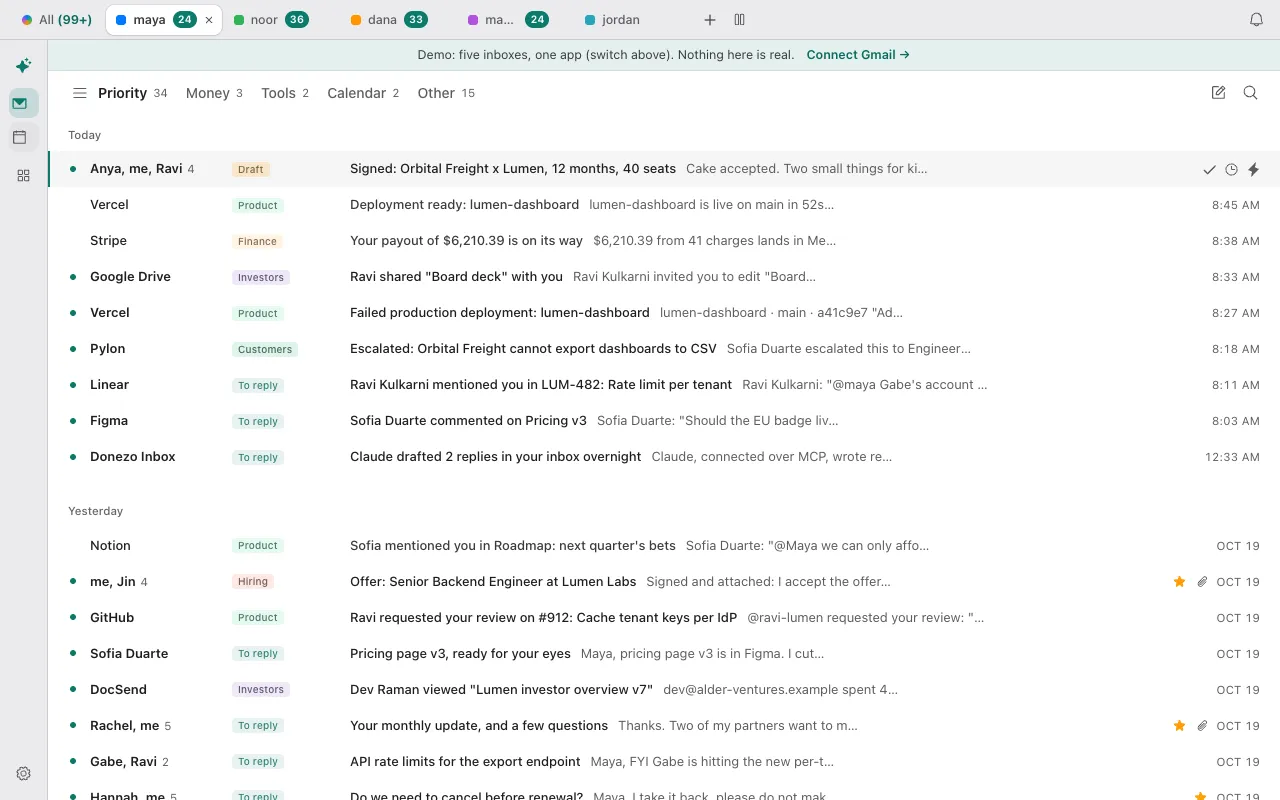
With two or more accounts, a tab bar sits above the app: each account has a tab with its unread count, and you can drag the tabs into your order. The keyboard works too: Ctrl plus 1 to 9 jumps to an account, and Ctrl plus 0 finds an inbox by name. The tab bar shows in a window at least 900 pixels wide.
Each account is its own mailbox with its own splits, so Priority, Calendar and Other can differ per inbox. Colours (eight tones), the signature, always-Cc and Bcc addresses, and the send-as aliases Gmail knows about are all set per account. Replies go out from the address the mail was sent to unless you switch that off.
What does the All inboxes view show?
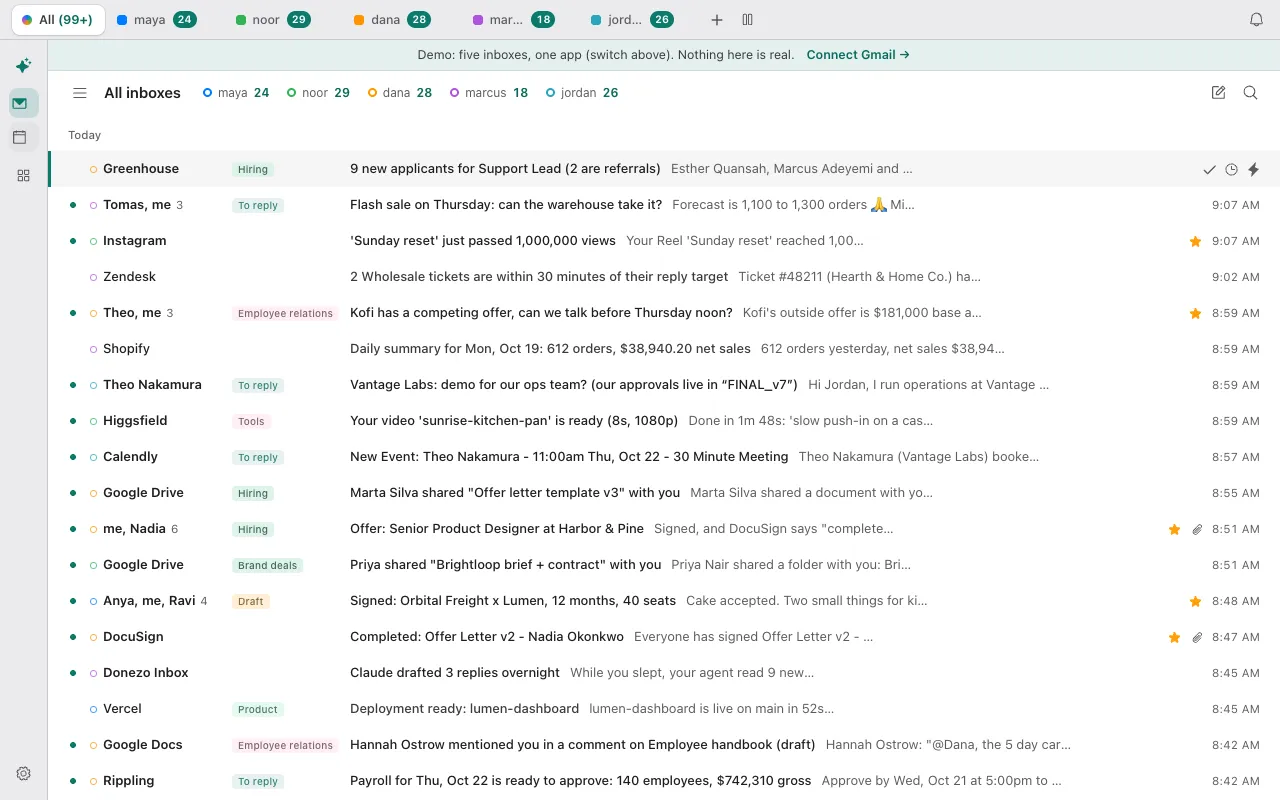
All inboxes shows the Priority mail of every account in one list, newest first, each row marked with its account's colour. It is the real-people split only: your other splits, the Screener and each account's Other mail stay in their own tabs. Hidden accounts, accounts paused by your plan and delegated accounts are left out. Actions on a row go to the account that row belongs to.
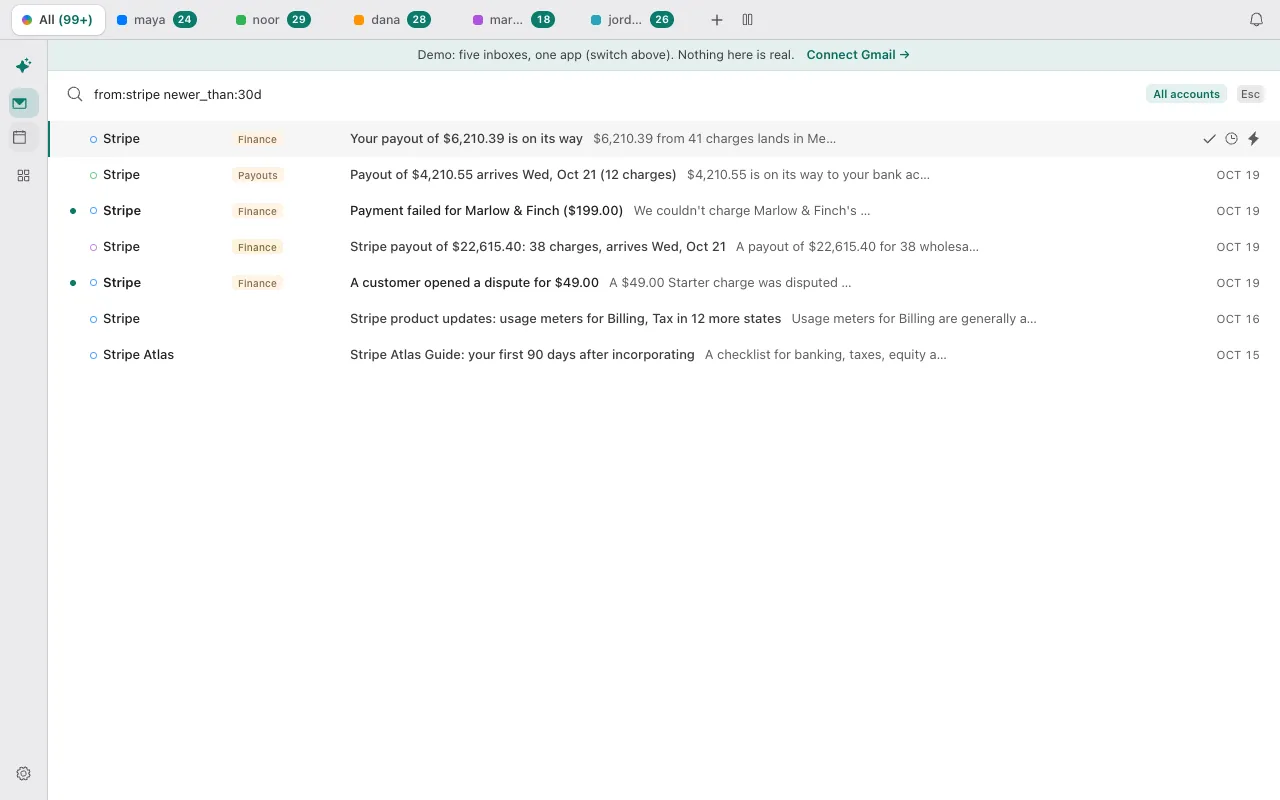
Search works across accounts with a toggle in the search box, using Gmail's operators. The unread count on the app icon adds up the inboxes you choose, and any inbox can opt out of it, or be muted, from its settings. For the plain Gmail route, see how to add another Gmail account and switch between them.
What can you set for each inbox?
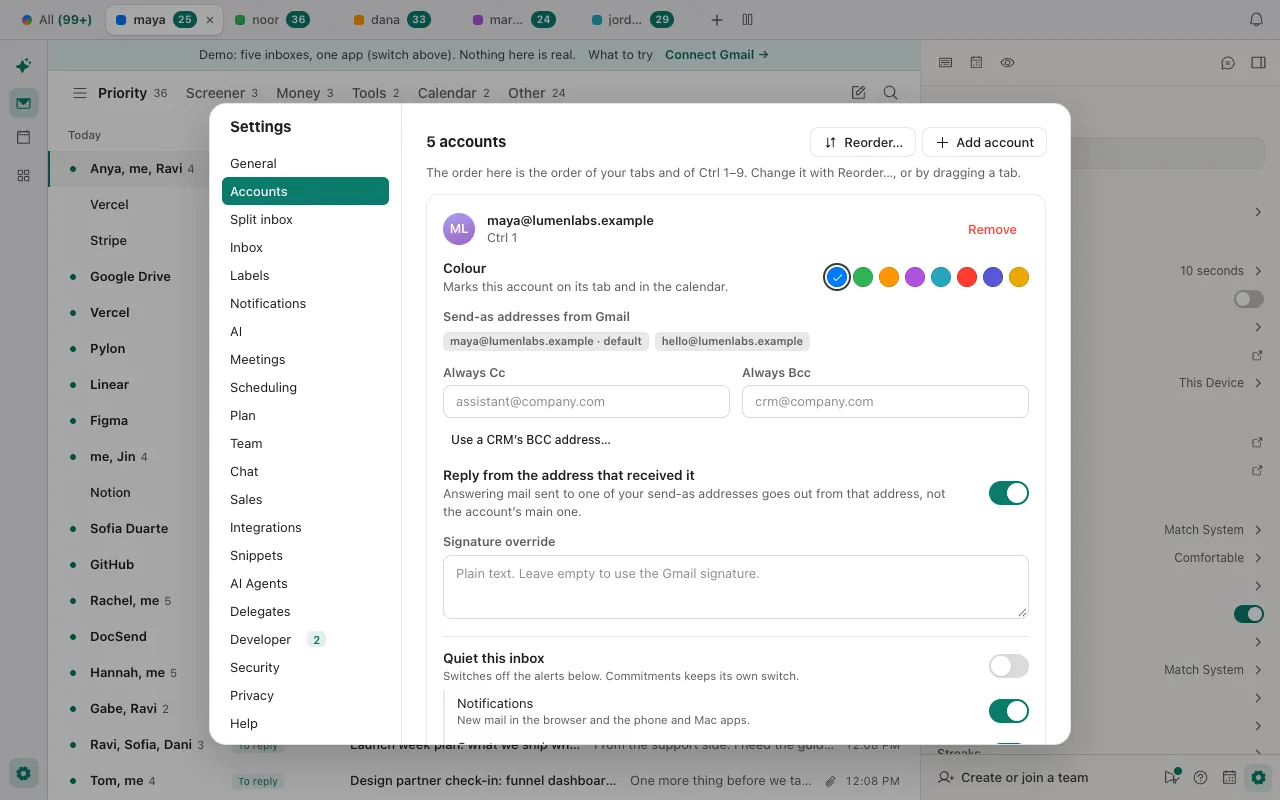
- Colour, tab order and the Ctrl-number shortcut.
- Signature: your typed override, otherwise the signature from Gmail.
- Always Cc and Bcc, and which send-as address to reply from.
- Notifications, the app-icon count, the daily briefing and meeting alerts, plus a Quiet this inbox switch.
- The assistant, which is switched on per account, and its rules, which can be for one account or all of them.
You can also put inboxes side by side in panes: up to 10 at once, each at least 320 pixels wide.
How many inboxes do the plans include?
| Plan | Gmail and Workspace inboxes | Note |
|---|---|---|
| Free | 1 | The full email client for one inbox |
| Pro trial | Unlimited | 21 days, no card |
| Pro | Unlimited | $29/year, one yearly plan |
When a trial or a plan ends, your first inbox stays active and the others are paused, not deleted. They switch back on when you upgrade. An agent can reach every inbox at once through the Gmail MCP connector.
Donezo works with Gmail and Google Workspace today. Outlook and other mail providers are on the roadmap. On the roadmap: Android and Windows apps, single sign-on for teams, and a bot that joins calls. The Mac app is in closed beta (download it here), and the iPhone app is launching soon.
Questions
Can I use several Gmail accounts in one inbox?
Yes. Add each account in Settings, then use the All inboxes view for one merged list of Priority mail, or the tabs to work in one account at a time.
How many Gmail accounts can I add to Donezo Inbox?
One on the free plan and as many as you like on Pro. If a plan ends, the first inbox stays active and the rest are paused until you upgrade.
Does it work with Outlook or iCloud mail?
Not yet. Donezo Inbox works with Gmail and Google Workspace today.
Can I reply from the right address?
Yes. A reply goes out from the address the mail was sent to by default, and you can choose any send-as address your Gmail account knows.
Does All inboxes include every split?
No. It merges the Priority split of each account. Other and your custom splits stay in each account's own tab.
Try several inboxes in the demo
The demo opens with several sample accounts and no sign-in. Press Ctrl and a number to switch.